 Venns
Venns
Expense balances and exports
Filter expenses by dates, child, category and who owes whom. Download PDF, Word or Excel reports with open and disputed totals, recorded payments and a verification link.
Co-parenting for separated parents in the US
Keep your family’s expenses, conversations, parenting dates and children’s care together. See what was recorded, where deadlines came from, and what you can share in a report. Less back-and-forth, more room for family life.
Free account creation. 7-day trial with a card. Cancel anytime.

Why Venns
Two households can be separate and still share responsibilities. A Venn diagram makes that overlap visible. We chose Venns for the space where parenting dates, expenses, and decisions meet—and for the clarity a good record can bring to it.
Your family does not have to look like anyone else’s. Venns helps you keep track of what is yours, what is shared, and what happened along the way.
How it works
Upload your decree and confirm its deadlines and splits. Each one shows the page and the words it came from.
Record what you paid, when you paid it and when the bill arrived. Those dates start the clocks in your order.
The other parent sees the receipt, their share and the pay-by date, and answers without an account or an app.
Requests, answers and payments are sealed as they happen. Export them as Excel, Word or PDF whenever you need them.
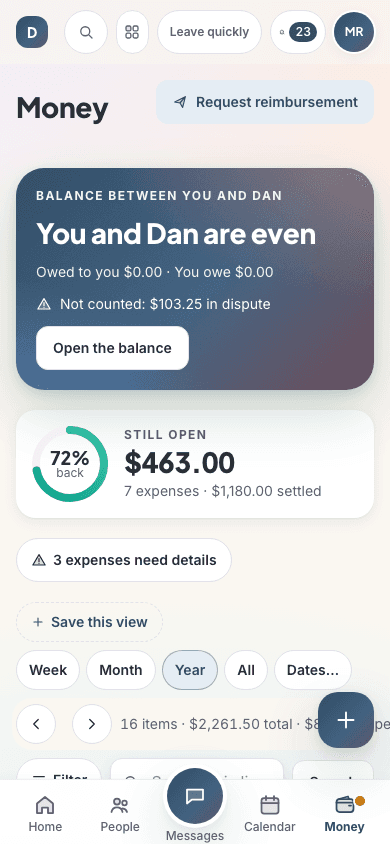
Reimbursement
Each request lists the expenses, the split from your order and the receipts. You see when it was opened, answered or paid.
Card, bank and wallet payments inside the pay page are being connected and are not live yet.
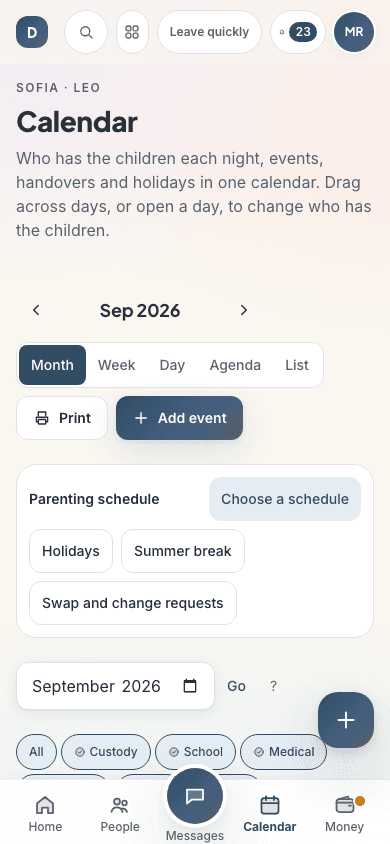
Deadlines
The deadline for each expense comes from your decree first, then a value you enter, then your state's default. If none of them says, the app asks you instead of guessing.
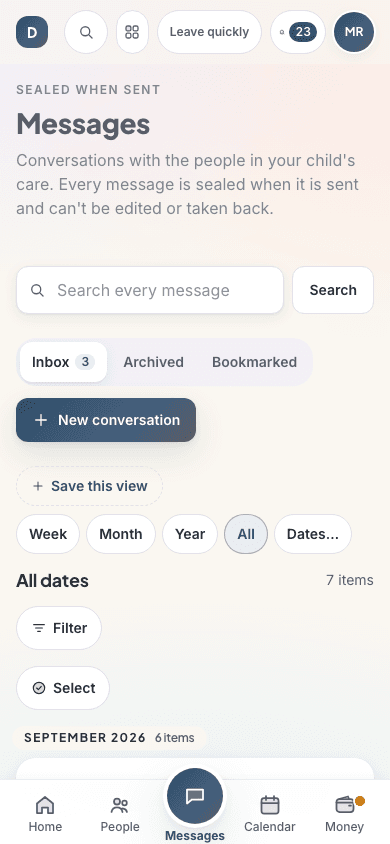
Record
Every expense, request, message and payment is sealed with a SHA-256 fingerprint in a chain. A change makes a new version; the old one stays.
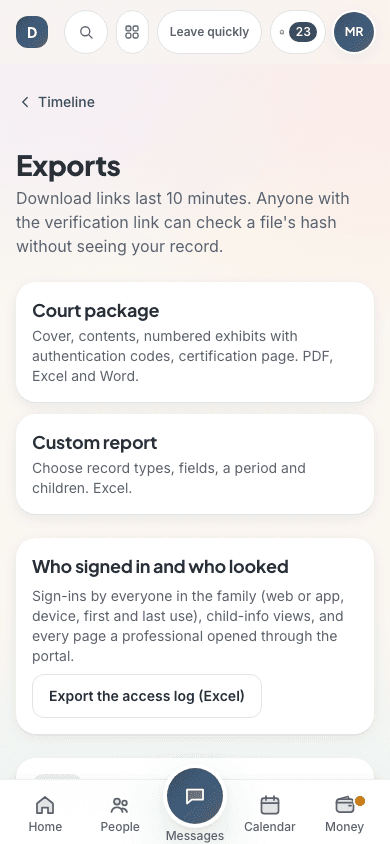
Exports
Filter by dates, type or child and export the same view in the format your lawyer or mediator asks for.
Family records
Review the facts in the app, then choose the report that fits the conversation with a co-parent, caretaker or professional.
Filter expenses by dates, child, category and who owes whom. Download PDF, Word or Excel reports with open and disputed totals, recorded payments and a verification link.
Save a child’s medication, dose times, bottle photo and a technique guide. The dose log records who reported given, missed or skipped doses and when. PDF and Excel summaries count reported on-time, late, missed and unreported due slots separately.
Choose which medication cards, allergies and emergency contacts to include before making a printable PDF. It shows recorded doses and instructions, morning, evening and as-needed medicines, last reported dose, next saved reminder and a blank paper dose log.
Medication entries are parent reports. No report recorded does not prove a missed dose. The caretaker sheet copies saved details; it never calculates or changes a dose. Always check the current pharmacy label and care plan.
Why choose this app
A shared calendar is a start. Your family also needs clear responsibilities, receipts, and a record of what happened.
See the clause and page behind a date from your order. When a rule is missing, the app asks rather than guessing.
Organize your records yourself. The other parent can answer a reimbursement request from a browser link.
Tamper-evident records and verification codes let you check an export. Imported messages remain clearly labelled by source.
Bring expenses, parenting dates, and conversations together, then export Excel, Word, or PDF records when you need them.
Built for one parent
You set everything up. The other parent gets a link to each request: they can see the receipt and their share, and pay, reply or dispute from their browser.
Their answers land in your record with the time they happened. Their access is included in your family subscription.
If they do join later, conversations and records continue in the same place.
Email and text relay can be connected through delivery providers; the private local pilot uses an outbox.

Parents and trusted helpers
Keep parents and trusted helpers informed, with access limited to what they need. Children get to be children, while the adults keep the details together.
Start your family recordTrust
Our hosting policy allows US regions only for the database, files, AI processing and email and text logs.
The app never records where you are. Location data is removed from photos when you upload them.
Each export carries a verification link, and each record in a court package a 16-character code. Anyone can check them; no account needed.
Parents facing hardship or domestic violence can apply for a waiver in the app. A person reviews it; your statement is kept only as a fingerprint.
Give trusted helpers access to the information they need. Private notes stay separate from shared family records.
$6.99 a month or $59.00 a year. Never a percentage of money you recover.
Free tools
No account, and nothing you type leaves your browser.
No. They answer each request from a link in their browser. The price is per family, paid by one parent, and the other parent’s access is included.
No. The app shows what your order says, where each date comes from, and what was sent and when. It does not tell you what to do in your case.
Yes. Deadlines come from your own order. Where your order is silent, the app asks you rather than borrowing another state's rule.
Yes. Other apps' PDF or text message histories, WhatsApp and text backups, emails, screenshots and spreadsheets come in as drafts you check before they join the record.
Each record has a SHA-256 fingerprint linked to the one before it. Edits make a new version, and anyone with an export link or a record code can check it on the verification page.
Yes. From the child profile, review and select the medicines, allergies and contacts to include in a printable PDF. The sheet shows the parent-recorded dose and instructions, the last reported dose and next saved reminder. Check the current pharmacy label and care plan before giving medicine.
Keep the details clear. Make more room for family.
Sign up to organize your family record, or explore the app download options. Your order, receipts, and conversations belong together.